Actions
PyInstaller » 이력 » 개정판 2
« 뒤로 |
개정판 2/3
(비교(diff))
| 다음 »
이태훈, 2025/01/27 06:37
PyInstaller
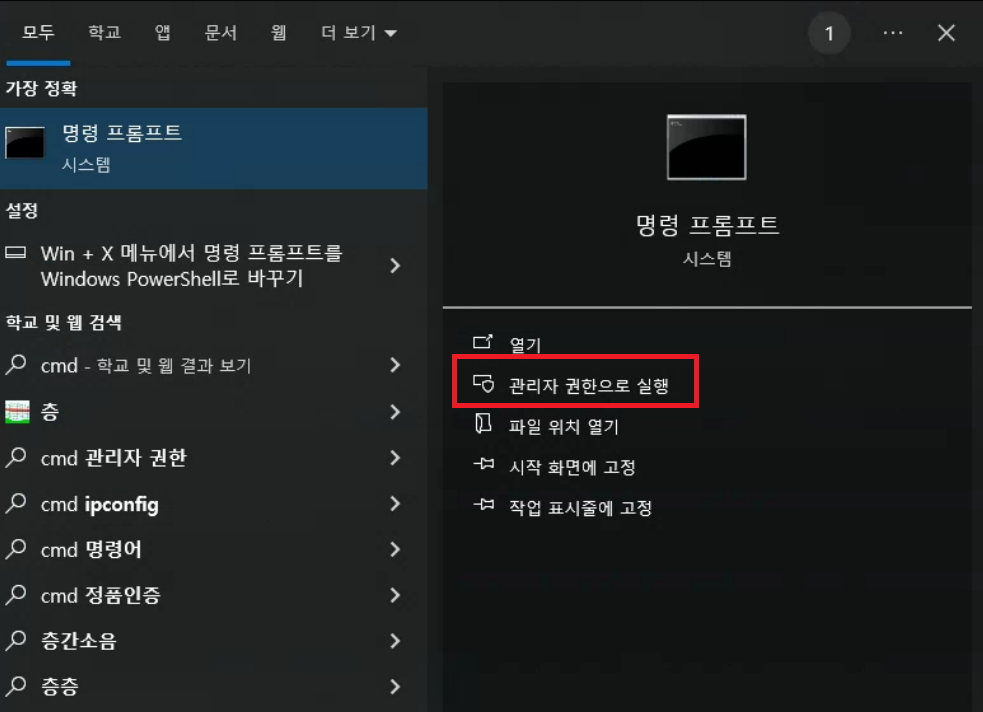
1. cmd를 관리자 권한으로 실행
2. 명령어 입력
-- 프로그램 설치
pip install pyinstaller

-- exe파일 만들기
pyinstaller 파일명.py

-- 콘솔창 제거(-w OR --windowed)
pyinstaller -w 파일명.py

-- 실행파일 하나만 생성(-F 또는 –onefile)
pyinstaller -F 파일명.py
3. 리소스가 포함된 exe 파일 생성
[코드 추가]
import sys
import os

def resource_path(relative_path):
    """ Get absolute path to resource, works for dev and for PyInstaller """
    try:
        # PyInstaller creates a temp folder and stores path in _MEIPASS
        base_path = sys._MEIPASS
    except Exception:
        base_path = os.path.abspath(".")
    return os.path.join(base_path, relative_path)
[실행파일 생성 명령어]
pyinstaller -w -F -i="파비콘.ico" --add-data="ui파일명.ui;./" --add-data="파비콘.ico;./" 파일명.py
이태훈이(가) 10달 전에 변경 · 2 revisions